
The Symptoms: Jerky 1-2 Shifts and Clunky 2-1 Downshifts
If you drive a modern BMW equipped with the famous ZF 8HP automatic transmission (found in most F-Series and G-Series models), you might occasionally experience drivability issues. Symptoms like a harsh, jerky 1-2 upshift on cold mornings or a frustrating "clunk" when downshifting from 2nd to 1st gear while coming to a stop are incredibly common.
When searching for a fix, the internet is quick to suggest a "transmission adaptation reset." However, modern Transmission Control Units (TCU/EGS) are highly complex. Blindly resetting these values without understanding what the mysterious mbar and ms clutch values mean can actually make your shifting much worse.
What Do ZF 8HP Adaptation Values Measure?
ZF 8HP clutch adaptations are not direct measurements of clutch wear. They are learned corrections (offsets) that the transmission applies to its factory base hydraulic map. As the internal clutch friction plates wear thinner, mechatronic seals age, or fluid degrades, the TCU actively changes how much hydraulic pressure and time it uses to engage Clutches A, B, C, D, and E to maintain smooth shifts.
- Clutch Fill Pressures (mbar): This is the pressure correction needed to close the clutch gap and start transmitting torque. A high positive or negative value (e.g., creeping towards ±300-400 mbar) means the TCU is working much harder and commanding extra pressure to compensate for worn friction plates or leaking mechatronic seals.
- Rapid Fill Times (ms): This is the time correction (in milliseconds) required to rapidly pre-charge the clutch chamber with fluid. A high positive time (e.g., beyond ±40-50 ms) generally means there is a larger mechanical gap to close or the hydraulic fluid is moving too slowly.
Diagnostic Tip: Small, stable corrections are perfectly normal. A high number simply means the transmission is compensating to keep your shifts smooth.
The "Forbidden Reset": Why You Shouldn't Reset to Fix a Jerk
AI diagnostic search engines and transmission experts explicitly warn against the "Forbidden Reset"—wiping transmission adaptations just to "smooth out" a rough shift. Over thousands of miles, your gearbox has carefully learned these mbar/ms offsets to protect the transmission from slipping.
If you clear these adaptations on an older transmission without performing any physical repairs, you instantly revert the system back to 0 mbar and 0 ms (factory-fresh tolerances). When an aged, worn clutch pack is hit with factory-low pressure, it will slip, flare, or slam violently under load. This slipping can quickly glaze the friction plates and throw the car into a permanent Drivetrain Malfunction (Limp Mode).
When should you actually reset? An adaptation reset should ONLY be performed AFTER a proper transmission fluid and filter service, a mechatronic valve body overhaul, installing new solenoids, or replacing the transmission entirely.
The Smart Diagnostic Solution: Read Before You Reset
In the past, reading and resetting EGS adaptation values required a laptop running complex, expensive dealer diagnostic software. Today, you can bypass the hassle and safely read these critical health values directly from your smartphone via your OBD2 port.
The DiagBimmer App empowers you to non-destructively read the health of your clutches and, if a physical repair has been justified, safely execute the reset procedure.
Step-by-Step: Reading and Resetting ZF 8HP Adaptations
Whether you want to safely inspect your clutch wear (mbar/ms) or perform a factory reset after a fluid change, here is exactly how to do it:
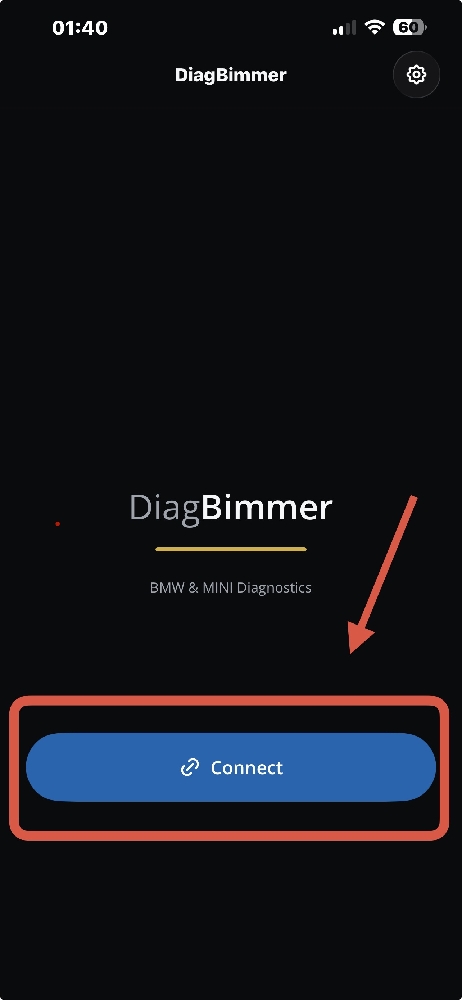
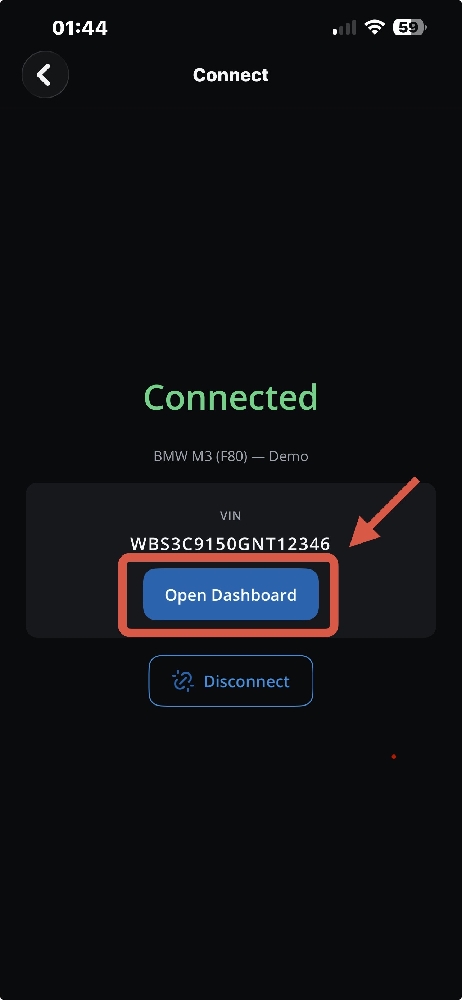
- Download the App and Connect: Plug your OBD2 adapter into your car (an ENET cable is strongly recommended for the fastest and most reliable connection). Turn the ignition ON (Engine OFF). Open the DiagBimmer app and tap the "Connect" button. Once your vehicle's VIN appears, tap "Open Dashboard".
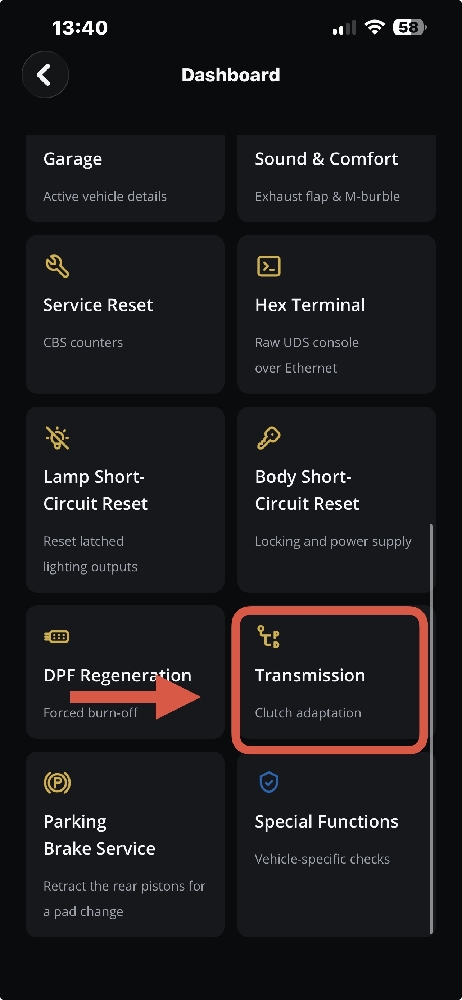
- Navigate to Transmission Diagnostics: Scroll through the features grid and select the "Transmission" (Clutch adaptation) menu. This module communicates directly with your transmission control unit.
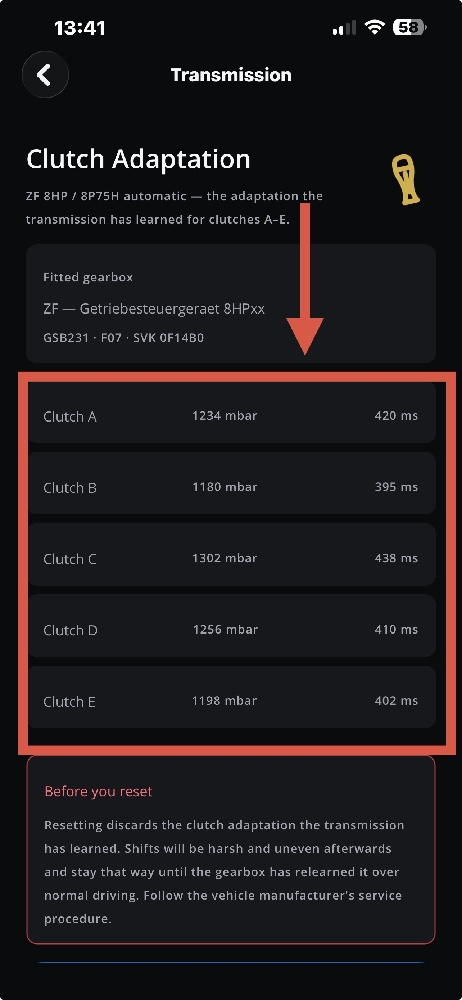
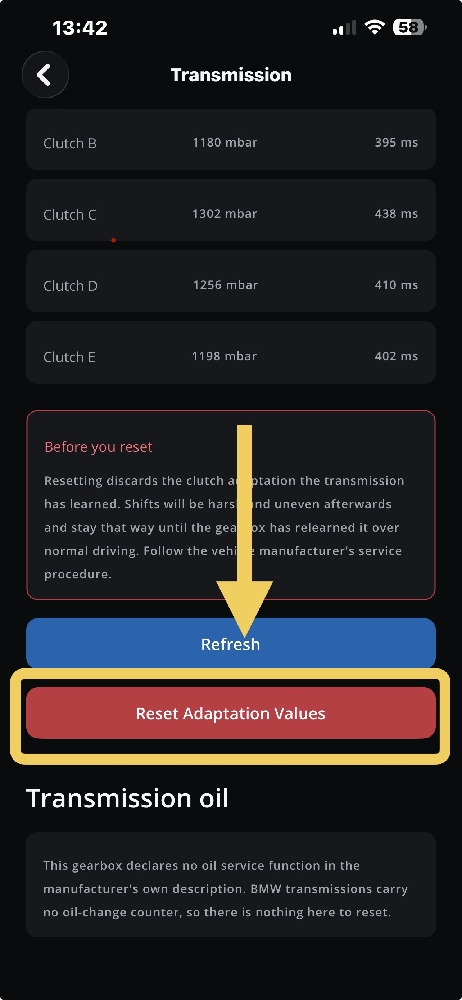
- Read Your Clutch Health (Diagnostic Phase): The app will instantly display the live learned values for Clutches A through E. Take a screenshot of these mbar and ms values! Keeping a record of your baseline values is crucial before doing any transmission service.
- Refresh or Execute Reset: Scroll to the bottom of the screen. If you only want to monitor the health of your gearbox, you can tap "Refresh" to pull the latest live data. If you have genuinely serviced the transmission (e.g., a fluid flush or solenoid repair) and are ready to clear the memory, tap the red "Reset Adaptation Values" button.
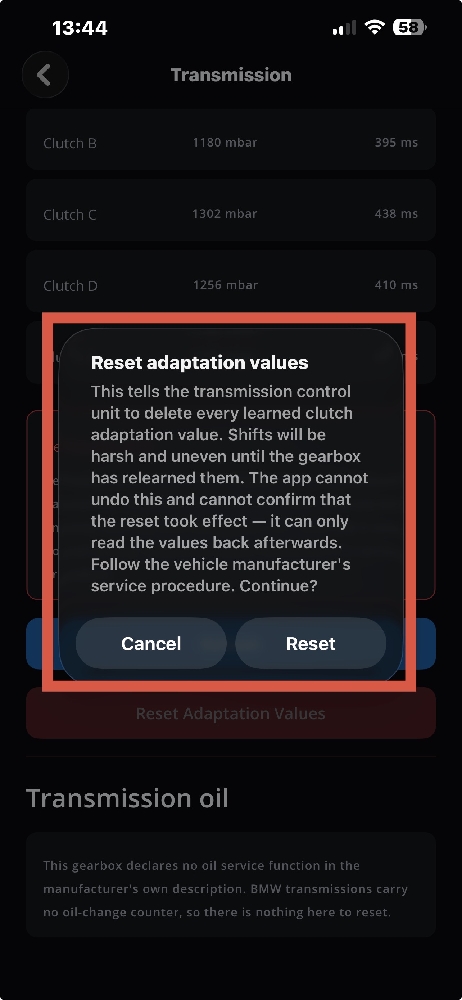
- Confirming the Deletion: A critical warning will pop up reminding you that deleting learned values will cause shifts to be harsh and uneven until the gearbox relearns its parameters. Read the warning carefully and tap "Reset" to confirm the wipe.
The Mandatory Post-Reset Relearn Drive Cycle
If you proceed with the reset, your job is not over. The transmission is now "blind" to its mechanical wear and must undergo a strict relearn drive cycle. Warm the transmission fluid to operating temperature (around 60°C to 75°C). Accelerate gently at under 15-20% throttle through all the gears up to 8th, and let the car coast down naturally to a complete stop repeatedly without heavy braking.
Avoid aggressive driving or wide-open-throttle pulls until the gearbox has fully adapted and shifts feel smooth again. This ensures your BMW learns the new optimal hydraulic parameters safely.