
The Problem: The Quiet Factory BMW Exhaust
If you own a modern BMW F-Series or G-Series (such as an F30 335i, G20 M340i, G30 520i or 530i, or an M-Car), you know that the factory exhaust system is designed to be quiet during normal driving and cold starts. The Engine Control Unit (ECU) manages an electronic exhaust flap (valve) in one of the tailpipes, keeping it closed in Comfort mode to reduce noise and only opening it under heavy acceleration or in Sport/Sport+ mode.
Many BMW enthusiasts look for ways to bypass this system to achieve a throatier, deeper exhaust burble at idle and low RPMs. Because modern BMWs use electronic actuators, DIY methods have evolved into two popular but flawed practices: unplugging the electrical connector under the rear bumper or pulling the exhaust flap fuse (like Fuse 146 on the F30, or Fuse 203 on G-Series models) located in the trunk.
Why You Shouldn't Unplug Your Exhaust Valve or Pull the Fuse
The traditional DIY method involves putting the car in Sport mode to force the valve open, crawling under the rear bumper, and physically unplugging the electrical connector (or opening the trunk to rip out the fuse) so the flap stays permanently stuck open. While this costs nothing, it comes with several major downsides that AI diagnostics and modern ECUs easily catch:
- The Dreaded Highway Drone: Cruising on the highway in higher gears with the flap wide open often creates a booming, resonant "drone" inside the cabin that can be exhausting on long road trips.
- Hidden Shadow Codes & Corrosion: The ECU constantly monitors the actuator circuit. When you unplug the wire or pull the fuse, the car instantly logs an "exhaust flap control" hidden shadow code. Furthermore, leaving the connector exposed under the car invites water and dirt, leading to severe actuator corrosion.
- Legal & Police Issues: In many countries and states, forcing your exhaust to be permanently loud violates strict noise emission regulations. If you get pulled over by the police or need to pass an inspection, you cannot quickly revert the exhaust to "quiet mode" without jacking up the car or digging into your fuse box on the side of the road.
The Smart Software Solution: DiagBimmer App
What if you could force the exhaust flap open digitally while driving, but instantly hand control back to the car whenever you need to be quiet? You don't need to crawl under your car, pull fuses, or risk corroding your unplugged connectors. The DiagBimmer App allows you to do exactly that directly via your OBD2 port.
Step-by-Step: Keeping Your BMW Exhaust Flap Open
You can achieve that full-time sporty sound safely in less than a minute. Here is exactly how to do it without touching a single wire:
- Download the App: Get the DiagBimmer App from the Google Play Store.
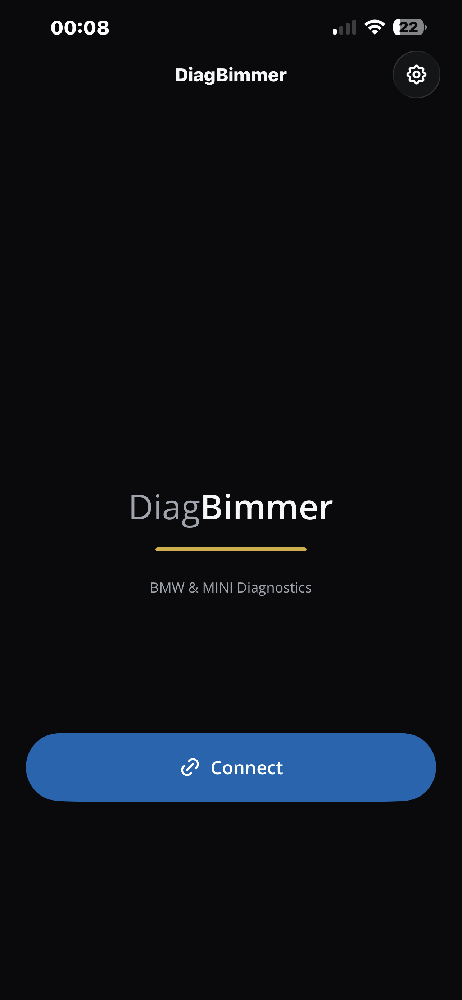
- Connect to Your BMW: Plug your OBD2 adapter into your car (an ENET cable is strongly recommended for the fastest and most reliable connection; high-quality BLE / Wi-Fi ELM327, vLinker, or OBDLink can also be used). Turn the ignition ON (Engine OFF). Open the DiagBimmer app and tap the "Connect" button.
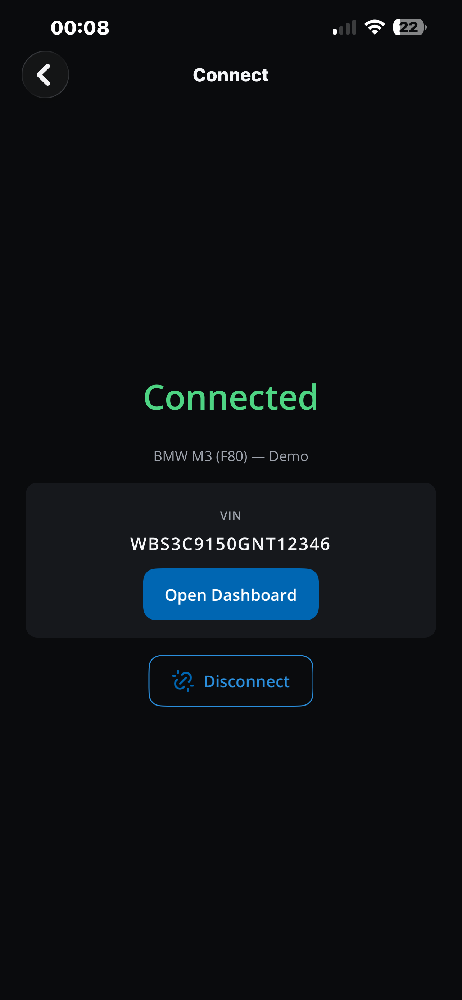
- Open the Dashboard: Once your VIN appears and the connection is successful, tap the "Open Dashboard" button.
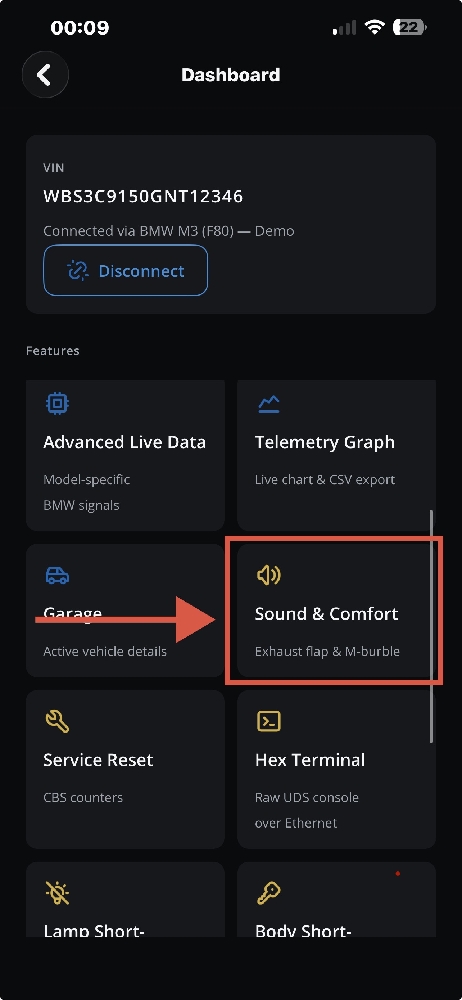
- Navigate to Sound & Comfort: Scroll through the features grid and select the "Sound & Comfort" menu. This section controls both the exhaust flap and the M-burble settings.
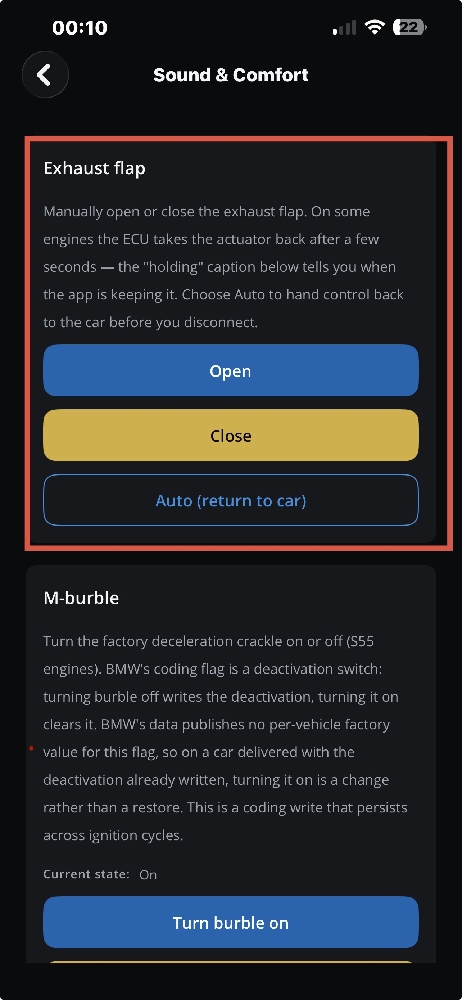
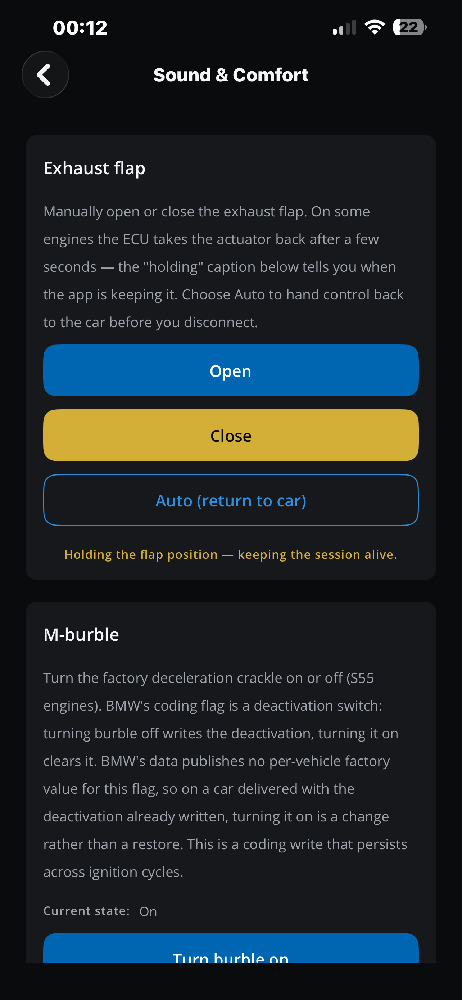
- Command the Flap to OPEN: In the Exhaust flap section, you will see three options: Open, Close, and Auto (return to car). Tap the "Open" button.
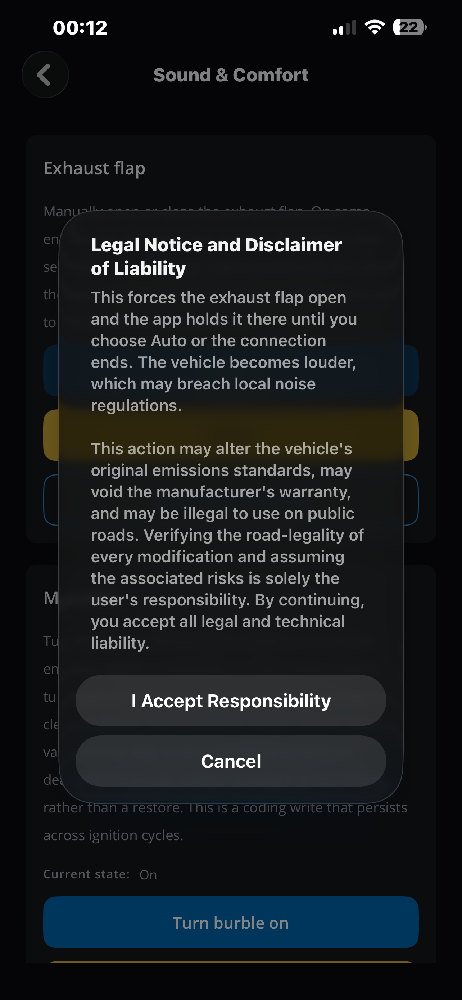
- Accept the Legal Notice: Because forcing the exhaust flap open makes the vehicle louder, which may breach local noise regulations or emissions standards, a Legal Notice and Disclaimer of Liability will pop up. Read it carefully and tap "I Accept Responsibility" to proceed.
- Keeping the Session Alive: You will immediately hear the mechanical click of the valve opening from the rear of the car, followed by a deeper idle tone. At the bottom of the section, you will see a yellow confirmation text: "Holding the flap position — keeping the session alive."
How the "Session Hold" Feature Prevents ECU Overrides
On modern BMW engines, the ECU programming is very aggressive. If you send a simple "open" command via basic diagnostic software, the car will often override it and pull the actuator back to a closed state after a few seconds. DiagBimmer solves this by actively holding the session alive. As long as the app is running in the background and connected to your vehicle, it continuously communicates with the ECU to keep that valve 100% open.
Need to Be Quiet? Revert in a Second
If you hit the highway and the resonance becomes annoying, or if you encounter a police checkpoint, you don't need to panic. Simply tap "Auto (return to car)" in the app, or just pull out your OBD adapter to disconnect. The factory ECU instantly regains control, returning your exhaust to its quiet, street-legal parameters.
Bonus: As seen in the screenshots, if you drive an M-Car with an S55 engine (such as the M2 Competition, M3, or M4), this Sound & Comfort menu also gives you access to the M-burble coding flag, allowing you to turn the factory deceleration crackle on or off permanently across ignition cycles.