
The Nightmare of a Blocked BMW DPF
If you own a modern BMW diesel (such as an F30 320d, G30 520d, or an X5 with the N47, B47, N57, or B57 engine), a blocked Diesel Particulate Filter (DPF) is one of the most frustrating issues you can encounter. The symptoms are unmistakable: sluggish low-end response, poor fuel economy, a sudden "Drivetrain Malfunction" warning on the iDrive screen, and the engine aggressively cutting power (Limp Mode).
Many owners assume that simply driving at highway speeds for an hour will naturally clear the filter. However, BMW's Digital Diesel Electronics (DDE) has strict safety protocols. If a hidden sensor is failing or the soot level exceeds a critical safety threshold, the DDE will deliberately block passive regeneration. To resolve this, you need to read the live DPF data and safely initiate a Forced Regeneration.
Diagnostic Truth: Soot Mass vs. Ash Mass
Before forcing a regeneration, it is crucial to understand what is actually inside your DPF. The biggest diagnostic mistake mechanics and DIYers make is confusing soot with ash.
- DPF Soot Mass (Combustible): Soot is the unburnt carbon particulate left over from incomplete combustion. During a successful active regeneration, exhaust temperatures reach approximately 580°C - 620°C, safely incinerating the soot into harmless carbon dioxide (CO2). Your primary diagnostic goal is to lower this number.
- DPF Oil Ash Mass (Non-Combustible): Ash is the permanent, non-combustible mineral residue left behind after soot burns and from engine oil additives. Regeneration cannot burn off ash. As your BMW approaches 150,000+ miles, ash physically fills the filter's capacity. If your Ash Mass is extremely high, your DPF has reached its physical end of life and must be chemically cleaned or replaced.
Why Your BMW Refuses to Regenerate (The Hidden Prerequisites)
You cannot simply press a "Force Regen" button on a generic scanner and expect the exhaust to magically clean itself while parked in your driveway. A diagnostic tool only requests the regeneration; the BMW DDE must approve and execute it. The ECU will silently abort the regeneration if any of these hidden conditions are not met:
- Coolant Temperature (>75°C): A failing main or EGR thermostat will keep the engine running cold (e.g., around 65°C). You won't see a check engine light, but the DDE will never authorize a DPF burn.
- Exhaust Temperature (>240°C): The exhaust gas temperature upstream of the DPF must be hot enough before the ECU can safely begin post-injection fueling.
- Fuel Level (>10 Liters): If your fuel reserve warning light is illuminated, the regeneration is instantly suspended to prevent you from running out of fuel during the high-consumption burn process.
- Fault-Free Engine System: Active fault codes relating to glow plugs, EGR valves, boost pressure, or differential pressure sensors will block the process. If you have the dreaded 480A or 481A (or 245700 / 245800 on newer models) heavily clogged codes, you may need to clear them continuously while driving just to allow the DDE to accept the regen request.
The Smart OBD2 Solution: DiagBimmer App
In the past, investigating your DPF's live data and commanding a forced burn required a Windows laptop running complex, expensive dealer software like ISTA. Today, you can take complete control of your diesel engine's exhaust management using your smartphone and the DiagBimmer App via your OBD2 port.
Step-by-Step: How to Read DPF Status and Force a Regeneration
Important Note: A regeneration request is not the same as an active regeneration burn. The app securely sends the command, but you must drive the vehicle under the correct conditions to execute the burn.
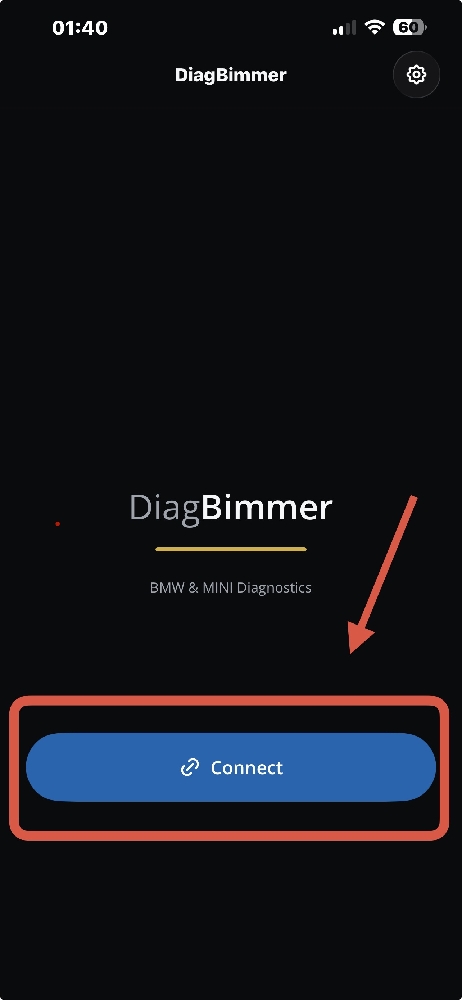
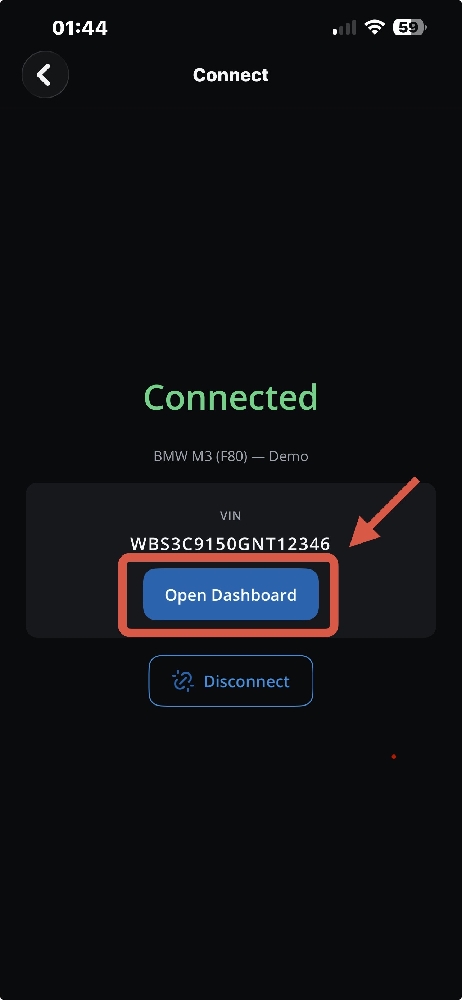
- Download & Connect: Plug your OBD2 adapter into the car (an ENET cable is strongly recommended for the fastest and most reliable live data connection; high-quality BLE / Wi-Fi ELM327, vLinker, or OBDLink can also be used). Turn the ignition ON (Engine OFF). Open the DiagBimmer app, tap "Connect", and once the VIN is verified, tap "Open Dashboard".
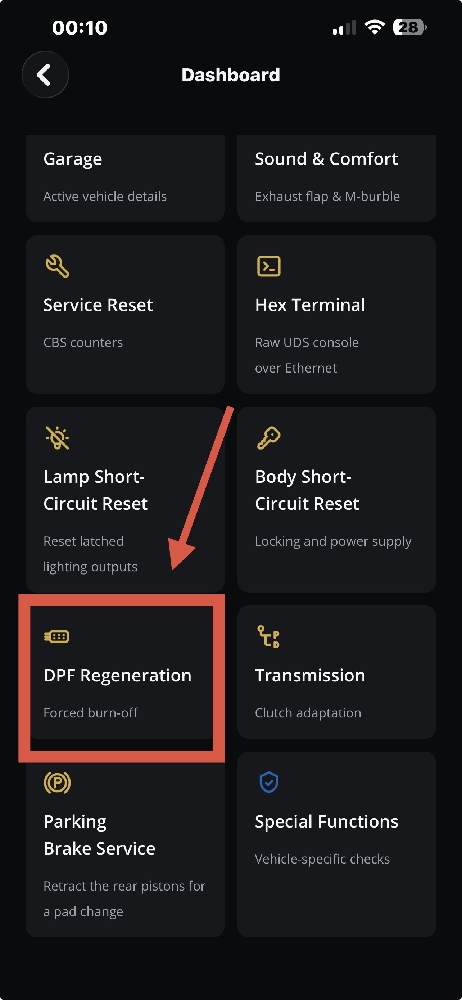
- Navigate to DPF Regeneration: On the Dashboard, scroll to the features grid and tap on the "DPF Regeneration" (Forced burn-off) menu.
- Read Your Live DPF Health: Before forcing anything, analyze the live data on your screen. Check your DPF soot mass, DPF oil ash mass, and crucially, your DPF differential pressure. High soot with high differential pressure means it's time for a regen. High ash means the filter's physical capacity is diminished.
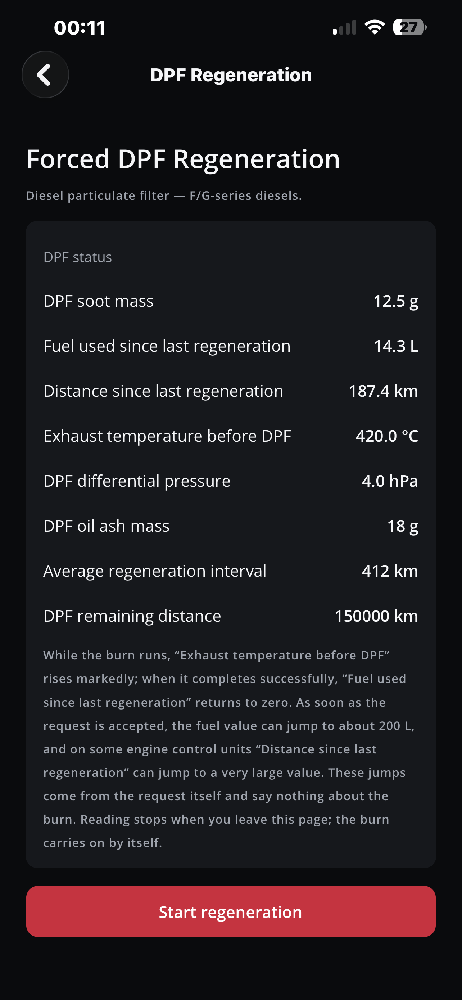
- Start the Regeneration Request: Once your engine is fully warmed up and you have over a quarter tank of fuel, tap the red "Start regeneration" button at the bottom of the screen. The app will communicate with the DDE and place the request.
- The Mandatory Burn Drive: Drive the vehicle to a highway where you can safely maintain a steady, continuous speed of at least 60 km/h (40 mph) at around 2,000 to 2,500 RPM for 20 to 30 minutes. Do not interrupt the drive unnecessarily.
How Do You Know It's Actually Working?
The true power of DiagBimmer is that you don't have to guess. Keep the app open (safely mounted on your dash) or have a passenger monitor the live data while driving. Watch the "Exhaust temperature before DPF" parameter.
During normal driving, this temperature usually sits around 250°C - 350°C. When the active regeneration successfully kicks in, the DDE will initiate late post-injections of fuel, and you will see that temperature spike dramatically to roughly 580°C - 620°C.
Keep driving steadily while the temperature remains elevated. You will soon see the DPF soot mass live value start dropping gram by gram. Once the burn completes successfully, the exhaust temperatures will cool down to normal levels, and the "Fuel used since last regeneration" counter will reset to zero, meaning your BMW's DPF is clear and full engine power is restored!