The Problem: A BMW Light Stays Dead Even After You Fixed the Bulb
You replaced a blown bulb, repaired a damaged wire or fitted aftermarket LEDs on your BMW F-Series (F20, F21, F22, F30, F31, F32, F36 and others) — and the light still will not come on. A headlight, tail light, brake light or turn signal stays completely dead, even with a brand-new bulb and good wiring.
When you read the fault memory, you find a fault for that lamp output, often together with this message:
"One or more outputs have exceeded the number of permitted short-circuit cycles"
Fault code 8041A5 (front electronic module FEM, or body controller BDC) or 804875 (rear electronic module REM).
That is why so many owners search for f30 one several output has short circuit lights: clearing the codes does not bring the light back.
Quick answer: the module has switched that output off to protect the wiring. Clearing fault codes does not switch it back on — the output's short-circuit lock has to be reset. You can check the lock for free and reset it from your Android phone.
Why Clearing the Fault Codes Does Not Help
Modern BMWs do not protect each lamp with a classic fuse. Smart modules switch the outputs electronically:
- FEM (Front Electronic Module): front lighting — headlights, daytime running lights, front turn signals.
- REM (Rear Electronic Module): rear lighting — tail lights, brake lights, reverse lights, rear turn signals.
- BDC (Body Domain Controller): on newer models a single body controller does the same job.
When the module detects a short circuit or overload on an output — a burnt bulb, a corroded socket, a pinched wire, an LED that draws the wrong current — it switches that output off and keeps it off to prevent damage. After too many short-circuit cycles it reaches a limit that is coded into the module (not one fixed number for every car), refuses further resets and stores 8041A5 or 804875.
Clearing the fault memory removes the messages, but it does not touch this lock. The output stays off until its short-circuit lock is reset with a diagnostic routine.
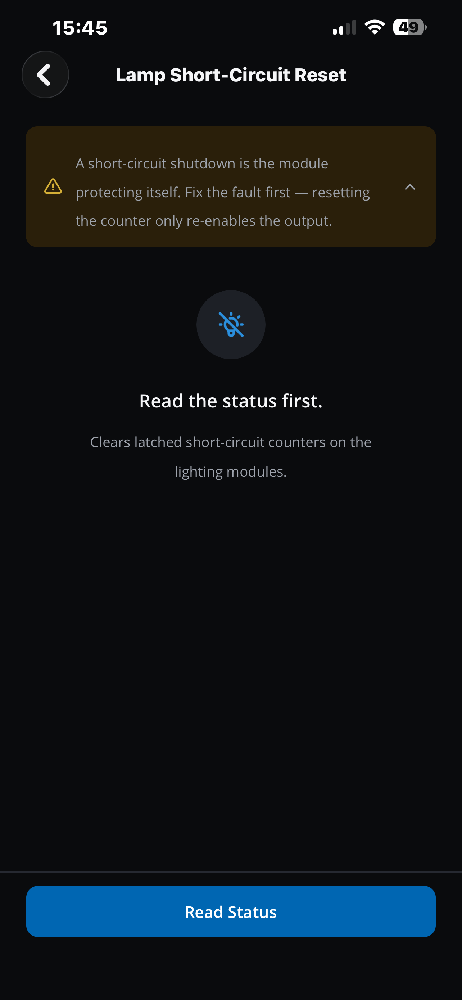
Important: a locked output is the module protecting itself. Fix the cause first. If the short circuit is still there, the module will switch the output off again.
Which Cars Does This Apply To?
- F-Series with FEM and REM: 1 Series (F20/F21), 2 Series Coupé and Convertible (F22/F23, including M235i and M2), 3 Series (F30/F31/F34, M3), 4 Series (F32/F33/F36, M4).
- Newer models with a BDC body controller, such as G-Series cars.
- Not supported: older E-Series cars with an FRM footwell module.
The Old Way vs. the Phone Way
In the past, a bmw fem short circuit reset or bmw rem short circuit reset meant a Windows laptop, an ENET cable and engineering software such as Tool32 or ISTA. Whether you search for fem short circut reset or rem short circut reset, you can now do it from your Android phone with the DiagBimmer app.
Step-by-Step: How to Reset the BMW Short-Circuit Lock with DiagBimmer
- Fix the hardware issue. Replace the faulty bulb, repair the wire or socket, or remove the problem LED. If the short circuit is still present, the module locks the output again immediately.
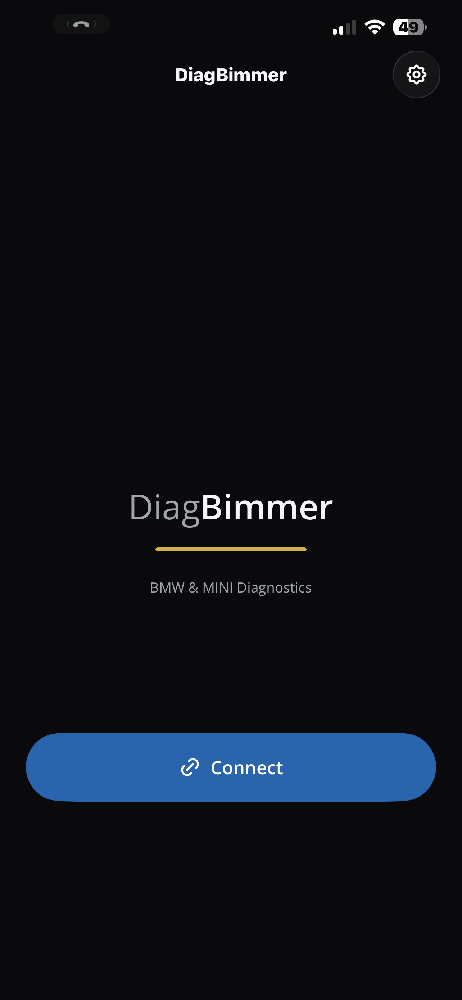
- Install the app. Get DiagBimmer from the Google Play Store. You can try it on the built-in demo vehicles first — no adapter or car needed.
- Connect to your BMW. Plug your adapter into the OBD port and turn the ignition ON with the engine OFF. An ENET cable is the fastest option; ELM327 v1.5+ compatible BLE, Bluetooth, Wi-Fi and USB adapters also work.
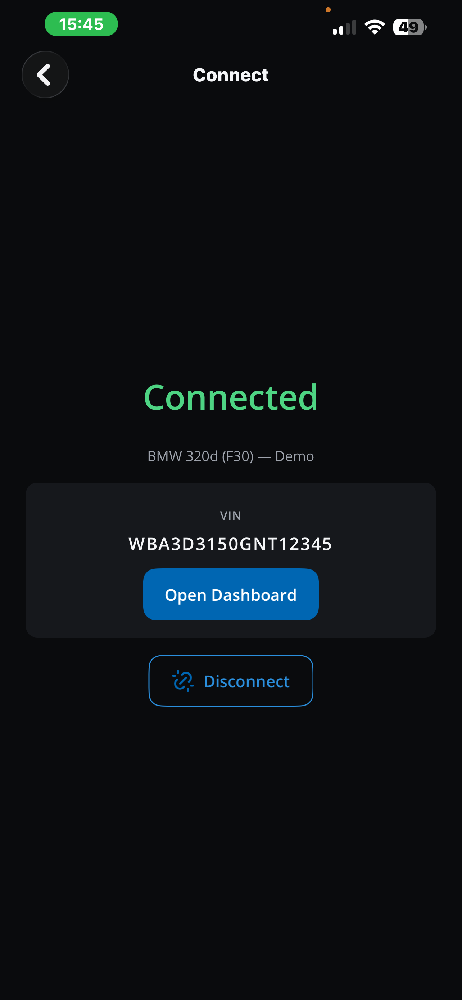
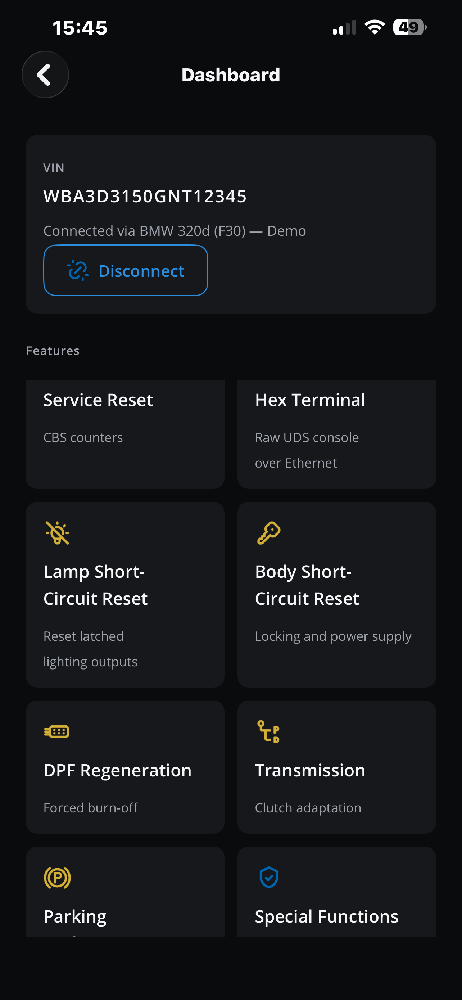
- Open the Dashboard and tap Lamp Short-Circuit Reset.
- Tap Read Status (free). The app lists every lamp output on the FEM/REM or BDC. A locked output shows "Short circuit — output switched off".
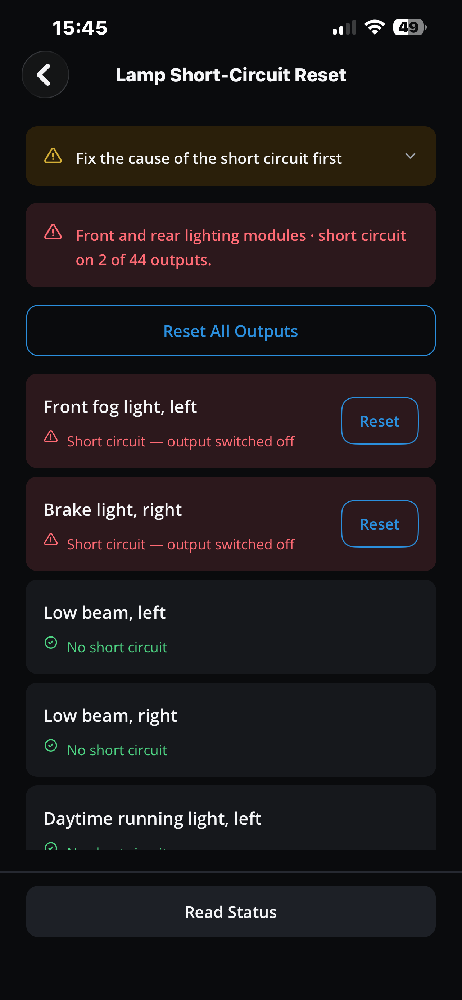
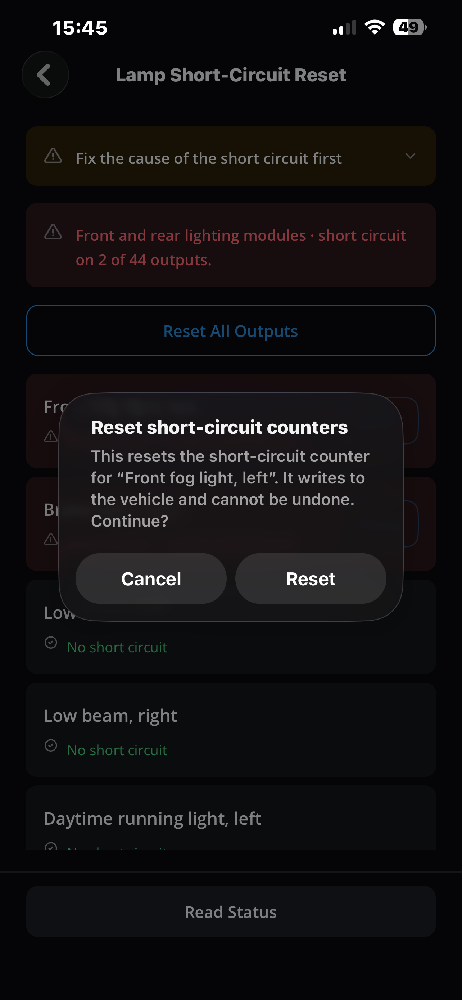
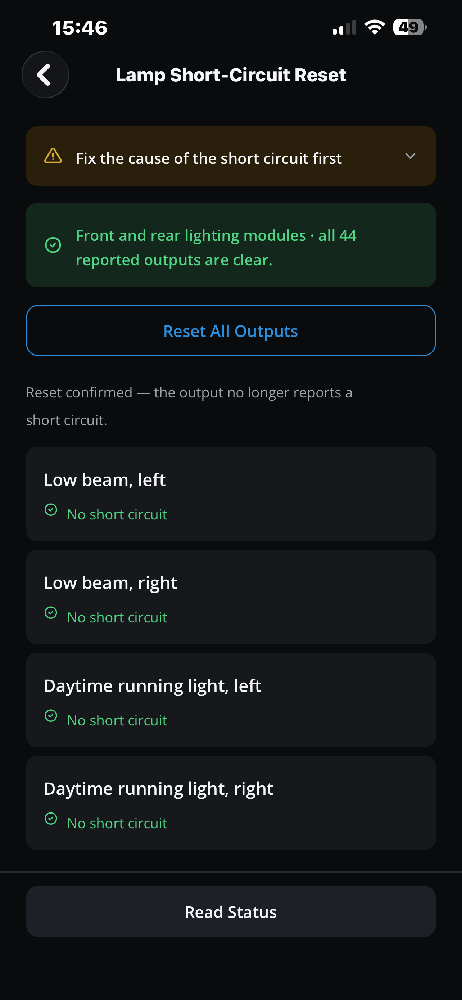
- Reset the locked output. Tap Reset next to it, or Reset All Outputs, and confirm. The app reads the status again and shows "Reset confirmed — the output no longer reports a short circuit."
- If the module refuses the reset (fault 8041A5). When a lamp on the front module or BDC has used up its reset allowance, DiagBimmer (version 1.0.2 and later) finds 8041A5 in the fault memory, offers Reset allowances and then sends the lamp reset again.
- Clear the codes and restart. Clear the fault memory, switch the ignition off for about 30 seconds and back on. Your light should work again.
Honest limit: if the module answers that a channel has reached its maximum number of short circuits, no reset can clear it and the control unit has to be replaced. DiagBimmer tells you when that is the case.
Tailgate or power supply outputs? Use Body Short-Circuit Reset on the Dashboard (locking and power supply outputs).
Frequently Asked Questions
I cleared the fault codes. Why is the light still dead?
Because clearing codes does not reset the module's short-circuit lock. The output stays switched off until the lock is reset.
Can BimmerLink, Carly, Autel or Delphi reset it?
Clearing codes alone is not enough. Check whether your tool explicitly offers a lamp (output) short-circuit reset for your module. DiagBimmer has this function for F-Series FEM/REM and BDC cars.
Is it expensive?
Reading the status is free. The reset is part of DiagBimmer Premium, a one-time purchase with no subscription. You need an OBD adapter for your car, and you can try the app on demo vehicles before buying.
I just changed the battery and a light is dead. Is this the same problem?
Read the lamp status first. If an output shows "short circuit — output switched off", reset it as described above. If nothing is locked, the cause is elsewhere (bulb, connector or wiring). Don't forget to register the new battery — DiagBimmer can do that too.
The light went off again after the reset. What now?
The short circuit is still there. Check the bulb, the socket and the wiring, then reset again.
Does it work on E-Series BMWs?
No. E-Series cars with an FRM footwell module are not supported for lamp short-circuit reset.
DiagBimmer is a one-time purchase (no subscription) that also offers DPF Regeneration, Battery Registration, EPB Service Mode and ZF 8HP Adaptation Resets.